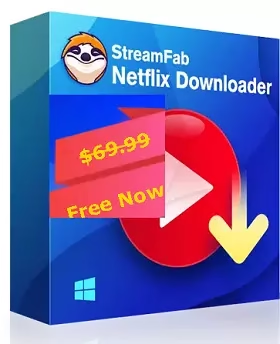
StreamFab Netflix Downloader Free for 1 Year — Windows Giveaway
Yes, the giveaway is currently live. DVDFab’s official promotion page is offering CHIP readers a one-year license for StreamFab Netflix Downloader on Windows. I rechecked the promotion page and DVDFab’s current release history before updating this guide, and the installer supplied for this offer is StreamFab 7.0.4.8.
Quick read: This is not a mystery “cracked” copy or a shared activation key. The current promotion sends you through DVDFab’s own giveaway page, email confirmation and account authorization flow. The offer is Windows-only and lasts one year. You need your own email address and a working internet connection for registration and activation.
If you have been looking for a StreamFab Netflix Downloader free offer, this one is worth a closer look because the activation route is straightforward and comes from DVDFab itself.
The important part is the wording: this is a one-year Windows license, not a lifetime license and not a Mac giveaway. The promotion page currently identifies the product as StreamFab Netflix Downloader for Windows and asks visitors to submit an email address before sending the activation instructions.
There is also a useful reason for Windows users to be interested in a desktop downloader right now. Netflix’s current Help Center says the Windows app no longer supports offline downloads; offline downloads remain available on supported mobile devices, Fire tablets and compatible Chromebooks.
What I verified before publishing this update: the official DVDFab giveaway page currently describes a free one-year Windows license; DVDFab’s release history lists StreamFab 7.0.4.8 on September 4, 2026; and Netflix’s Help Center confirms that downloads are no longer supported in the Windows app. The steps below are based on those current pages plus the screenshots supplied for this giveaway.

How to Get StreamFab Netflix Downloader Free for 1 Year
The current promotion uses an email-based authorization process. You do not need to hunt around for a serial number posted on a third-party site. Follow the official route instead.
Open the official giveaway page
Go to the DVDFab CHIP giveaway page. The page currently says it is offering a one-year license for the Windows edition of StreamFab Netflix Downloader.

Complete the verification and submit your email
The current page may ask you to complete its Google authentication/verification step first. Then enter an email address you can access and submit it. The page says that the license will be authorized for the account associated with that address.
If the activation message does not arrive, the promotion page says to contact DVDFab if you have not received a response within about an hour.
Confirm the registration from your inbox
Look for the DVDFab confirmation message. In the supplied screenshot, the email is from the DVDFab team and contains a button that completes the registration. Click that button rather than using credentials copied from an old giveaway article.

After the email link opens the registration page, you will see the account details needed to sign in to StreamFab. Keep those details private. Do not publish the email address or password in a blog comment, screenshot, forum post or social media post.
This is also why I have deliberately left the visible credentials out of this updated article, even though they appear in the supplied screenshots.
Download and Install StreamFab Netflix Downloader 7.0.4.8
For this promotion, the supplied Windows installer is streamfab_netflix_downloader_7048.exe. The screenshot supplied for the giveaway shows StreamFab 7.0.4.8, and DVDFab’s official update history records 7.0.4.8 as the September 4, 2026 release. The release notes mention UI improvements, download-engine improvements and fixes affecting several services, including a first-launch blank-screen issue involving Netflix and Disney+.
Use the official DVDFab installer supplied for this giveaway. The binary itself cannot be represented as a normal web page, so the link will start the Windows download rather than open a text page.

Run the installer
Open the downloaded EXE, follow the setup prompts and let the installer finish. Once the program launches, you should arrive at the StreamFab interface.
Choose Authorize and sign in
From the authorization screen, select the option to authorize the computer. Enter the account email and password you received through the giveaway registration process, then complete the activation.
Once successful, the Netflix Downloader license should appear as an authorized/active product in your account area.

Security note: The supplied screenshots contain account information. Before publishing, crop or blur any email address, password, authorization code or other credential that is not meant for public viewing. Never reuse a password from a giveaway account on your Netflix account.
What Do You Get With StreamFab Netflix Downloader?
StreamFab has moved well beyond the simple interface shown in many older reviews. The current official product page describes a built-in browser, scheduling, batch processing, subtitle handling and up to 1080p Netflix output, with HDR10/Dolby Vision availability depending on the title and subscription.
| Feature | What it means in practice |
|---|---|
| Up to 1080p Netflix downloads | Suitable for users who want desktop files rather than Netflix’s app-managed offline storage. |
| MP4 / MKV output | Gives you a choice between broad playback compatibility and a container that can hold multiple audio/subtitle streams. |
| Audio and subtitle choices | You can choose available languages and, where supported, save subtitles separately or with the video. |
| Batch downloading | Useful for adding multiple episodes or titles to a queue rather than processing every item manually. |
| Scheduled downloads | The current product advertises automatic downloading of new episodes on a schedule. |
| Built-in browser | Lets you access supported streaming services from inside the application instead of constantly switching windows. |
One practical point from the current release notes is easy to miss: StreamFab is still being actively updated. Version 7.0.4.8 was released on September 4, 2026, only days before this article update. That matters because streaming sites change their playback systems frequently, and downloader compatibility can break even when the software itself has not changed on your PC. DVDFab’s official update history
Version check: If your installed program reports 7.0.4.8, you are on the release associated with the current giveaway installer covered in this guide. If the app shows an older build, check DVDFab’s official update history before troubleshooting a download problem.
Before You Download: The Important Catch
There are two separate questions here: does the giveaway work? and are you allowed to download every Netflix title you can access? They are not the same thing.
1. The giveaway is Windows-only
The current promotion page specifically offers the Windows edition. StreamFab itself has Windows and Mac products, but you should not assume that this one-year giveaway activates the Mac edition.
2. The license is for one year, not forever
The official promotion describes the offer as a one-year license. That is a meaningful distinction from the “lifetime” language you may see on unrelated software giveaways.
3. Netflix downloads have their own rules
Netflix’s own Help Center says downloads are available only on supported devices and that some titles cannot be downloaded because of licensing restrictions. Netflix also says downloads can expire and that certain titles have limits on how often they can be downloaded. See Netflix’s title-download availability guidance.
For Windows specifically, Netflix says its current Windows app does not support downloading titles for offline viewing. That makes desktop download tools relevant to a Windows audience, but it does not override Netflix’s terms or copyright law. See Netflix’s Windows download guidance.
4. Don’t treat a downloader as a license to redistribute content
Use the software only for content you are authorized to save and for lawful personal use. Do not upload downloaded Netflix files to file-sharing sites, sell them, or distribute them to other people. Netflix also states that accounts are for personal, non-commercial use; see its public viewing and commercial-use guidance.
Is StreamFab Netflix Downloader Worth Claiming Free for a Year?
If your main goal is offline viewing on a Windows PC, this giveaway is considerably more interesting than an ordinary trial. You get a year rather than a few days, and the activation is handled through the vendor’s own account system.
The trade-off is that StreamFab is not a magic “download anything forever” button. Compatibility can change when Netflix changes its delivery system, titles can have regional or licensing restrictions, and the output quality depends on what the service and the particular title make available.
There is also a simple opportunity-cost question: if you only watch Netflix occasionally and already have a supported phone or tablet, Netflix’s official offline feature may be enough. If you travel with a Windows laptop and specifically want desktop-based offline files, the giveaway is much easier to justify.
My Verdict: Worth Claiming — If You Use Windows
I’d claim it. The current offer is genuine enough to recommend because the giveaway is hosted on a DVDFab domain, the product is explicitly identified as the Windows Netflix Downloader, and the current installer matches the recently released 7.0.4.8 build.
The strongest reason is not that the software is “free forever” — it isn’t. The value is getting one full year of the Windows edition without paying for that license, at a time when Netflix’s Windows app no longer provides its own offline-download feature.
✓ Best for: Windows users who regularly travel, have unreliable internet, or want more control over desktop offline viewing.
✕ Skip it if: you rarely need offline viewing, you use only a supported mobile device, or you are expecting a lifetime license.
More Free Windows Software Worth Checking
If you like legitimate software giveaways rather than hunting for questionable “full version” downloads, these Techno360 guides are worth bookmarking:
Frequently Asked Questions
Is this a lifetime StreamFab license?
No. The current DVDFab promotion describes it as a one-year license for the Windows version.
Can Mac users claim this offer?
Not according to the current promotion page. StreamFab has a Mac edition, but this specific giveaway is for the Windows version.
Which version is being offered?
The giveaway installer supplied for this guide is StreamFab 7.0.4.8. DVDFab’s release history lists 7.0.4.8 as the September 4, 2026 release.
What if I don’t receive the confirmation email?
Check spam, junk and promotions folders first. The official giveaway page says to contact DVDFab if you do not receive a response within about an hour.
Should I publish the activation email or password?
No. Keep your account credentials private. This updated article intentionally does not reproduce the credentials visible in the supplied screenshots.
Is downloading Netflix content legal?
The legality depends on the content, your rights, the service’s terms and the laws that apply where you live. Netflix itself restricts downloads by device, title and licensing conditions. Use the software only in ways you are authorized to use and never redistribute copyrighted files.
This article was checked against the current DVDFab giveaway page, DVDFab’s StreamFab release history and product documentation, plus Netflix’s current Help Center documentation. Giveaway availability can change without notice, so the official promotion page is the final authority on whether the offer is still active.

![MobiKin Assistant for iOS Free License Key [Windows] — iTunes Alternative | Free Download](https://www.zumply.xyz/wp-content/uploads/2026/05/MobiKin-Assistant-for-iOS-Box-Shot.avif.avif)