
⚡ QUICK READ — 60-SECOND SUMMARY
- What it is: A free portable Windows repair & maintenance toolkit with categorized commands, risk labels, and a guided repair assistant.
- Who made it: An independent German developer known as Captain_Chris — active member of the Deskmodder.de Windows community forum, where the tool was first announced and is actively maintained.
- Key highlights: 49 Beginner commands, 71 Expert commands, Repair Assistant, System Status panel, 6-language support (new in v1.6).
- Works on: Windows 10 (22H2) and Windows 11 — all versions marked “Full” compatible.
- Antivirus note: May trigger a Windows Defender false positive (only 3/68 on VirusTotal). The developer has submitted it to Microsoft for review.
- Our take: An absolute gem for beginners and a time-saver for power users. Highly recommended.
Let’s be honest — Windows can be a maze when something breaks. You know the drill: crash, Google “how to fix [random error]”, land on a forum with 47 conflicting answers, end up running commands you don’t fully understand, hope for the best. Not exactly fun.
That’s exactly the problem Sioni Windows Toolkit Pro was born to solve. Created by an independent German developer who goes by “Captain_Chris” (known in the community as “Chris”), this free utility organizes virtually every useful Windows repair, diagnostic, and maintenance command into a clean, categorized interface — complete with plain-English descriptions, risk ratings, and one-click execution. The tool was first introduced and is actively discussed on the Deskmodder.de community forum — one of Germany’s most respected Windows enthusiast communities — where Chris has been iterating on user feedback at an impressive pace.
The best part? You don’t need to know what DISM /Online /Cleanup-Image /RestoreHealth does. The tool explains it to you, tells you the risk level, and lets you run it with one click. Even your non-techie family members could use the tool.
🧐 What Exactly Is Sioni Windows Toolkit Pro?
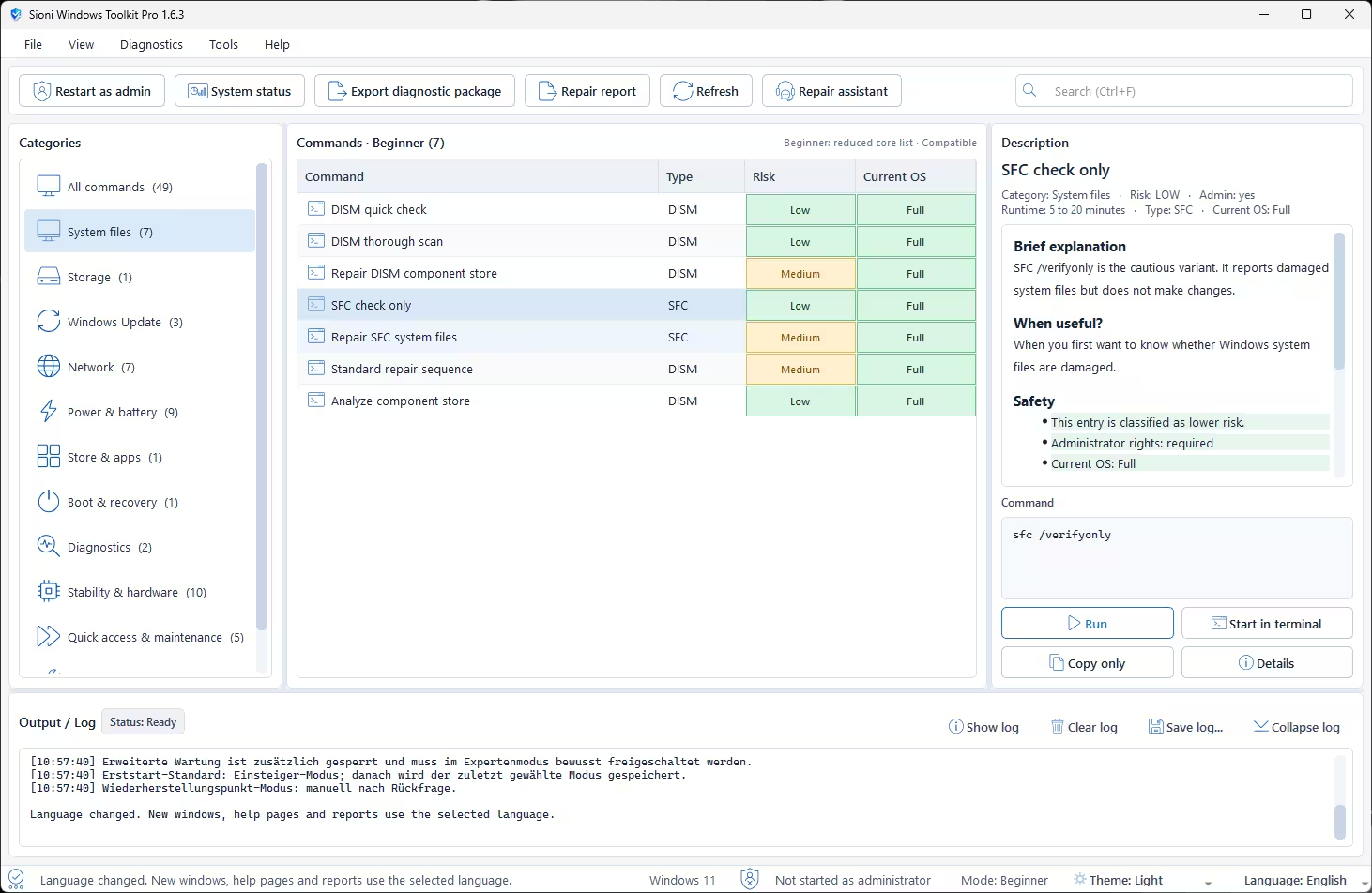
Sioni Windows Toolkit Pro is a free, portable Windows repair and maintenance application that consolidates 49 (Beginner mode) to 71 (Expert mode) Windows commands into an organized, easy-to-navigate interface. Think of it as a mission control center for everything Windows-repair-related — from DISM and SFC scans to network resets, power diagnostics, storage checks, and hardware analysis tools.
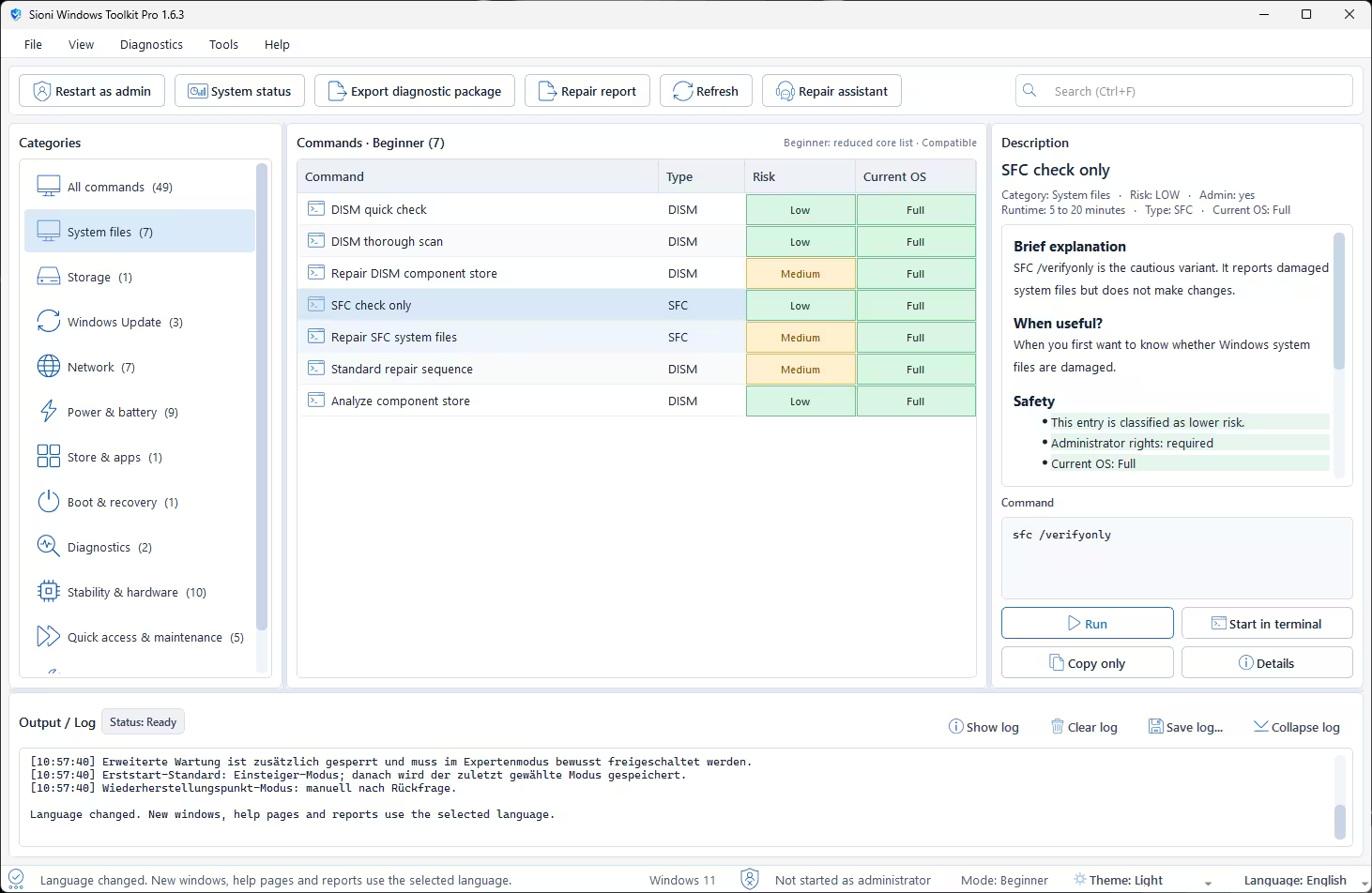
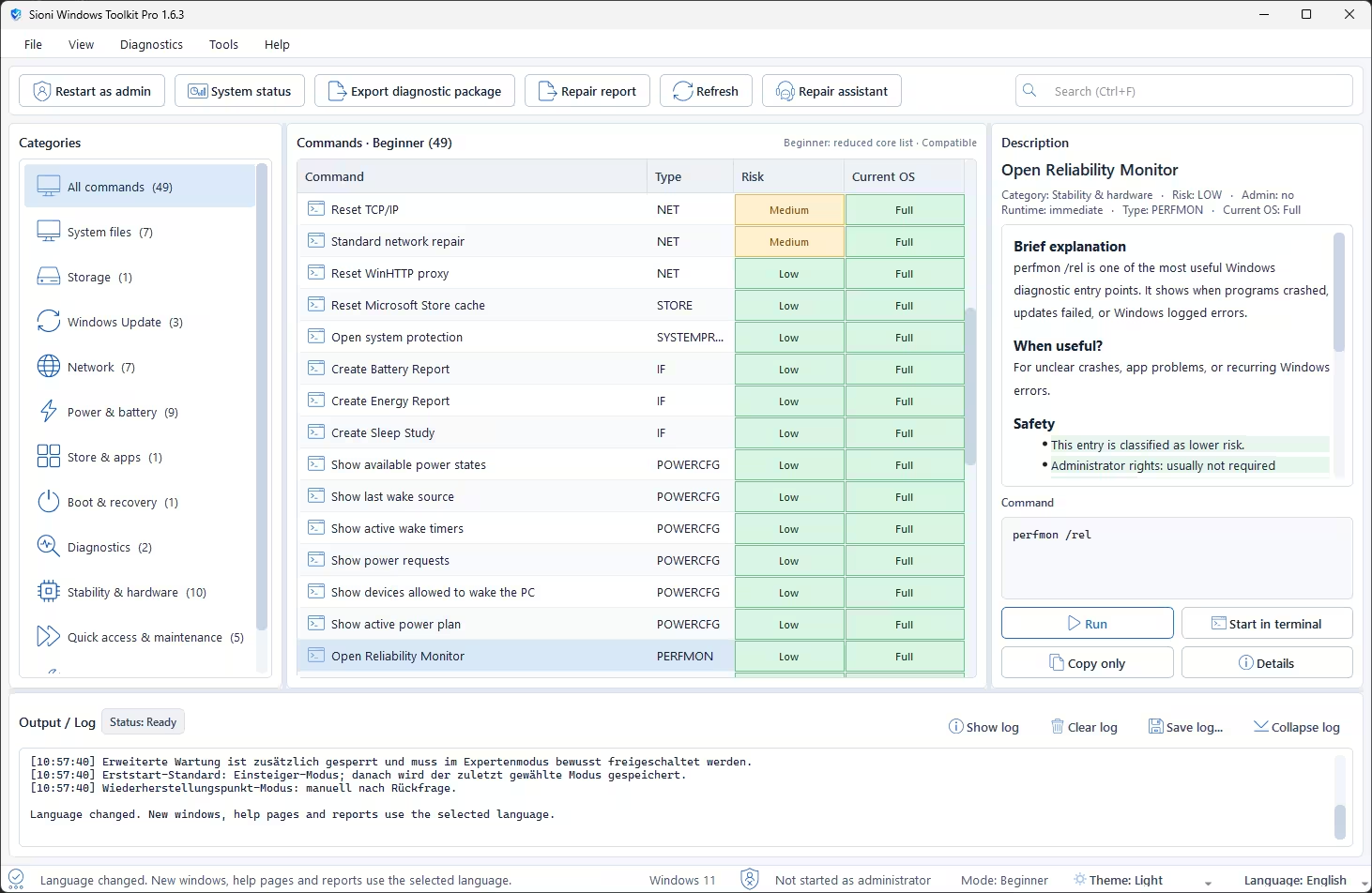
Commands are sorted into intuitive categories, each command displays a clear description, use-case guidance, risk level, and the actual underlying command. You can run commands directly inside the app, or open them in a terminal for manual control.
📂
9 Smart Categories
System files, Storage, Windows Update, Network, Power & Battery, Store & Apps, Boot & Recovery, Diagnostics, Stability & Hardware, and more.
🎯
Risk-Rated Commands
Every command shows a Low / Medium / High risk badge and a “Current OS” compatibility indicator so you always know what you’re doing.
🤖
Guided Repair Assistant
Pick a problem type (e.g., “Windows is unstable”), and the assistant suggests a safe step-by-step repair sequence — remembering what you’ve already run.
📊
System Status Dashboard
Get a quick overview of key system information — useful for identifying issues before diving into repairs.
📋
Export & Reporting
Generate and export a diagnostic package or repair report — great for sharing with tech support or keeping a log.
🌐
6 Languages (New in v1.6)
Now available in English, German, French, Spanish, Italian, and Portuguese. Language can be changed instantly from the Help menu.
👨💻 Meet the Developer — Who Is Behind This Tool?
Credibility matters when you’re handing a tool administrator rights over your Windows system. So let’s talk about who built this.
👨💻
Captain_Chris — Independent Windows Developer
Chris is an independent developer and active member of the Deskmodder.de community — Germany’s long-running and well-respected Windows enthusiast forum and blog. He originally built Sioni Windows Toolkit Pro for his own personal use, later sharing it with his local “Stammtisch” (tech meetup group) before releasing it publicly after enthusiastic reception on the forum. He also previously released the Sioni Secure Boot Certificate Checker, which gained significant traction among Windows 11 UEFI users. Chris actively responds to user feedback in the forum thread, fixing bugs within hours of reports and pushing new versions rapidly — a strong indicator of a committed, trustworthy developer.
🇩🇪 German Developer
🏠 Independent / Hobbyist
🐍 Python / PyInstaller
✅ Open Community Feedback
📌 Deskmodder.de Forum
💬
Originally Posted & Actively Supported on Deskmodder.de Forum
The tool was first announced on the Deskmodder.de community forum — where Chris posts all version updates, collects bug reports, and engages with users directly. The thread has attracted over 50 comments and counting, with the community helping shape the tool’s roadmap. The download link is also hosted there and updated with every new release. If you have questions, want to follow development, or report a bug, the forum thread is the place to go.
⚙️ Beginner Mode vs. Expert Mode
One of the cleverest design decisions in this tool is its dual-mode system. When you first launch the app, it defaults to Beginner mode — showing only the most essential, safest commands. Toggle into Expert mode and the full arsenal unlocks. This makes the tool equally useful for your tech-nervous aunt and your IT pro colleague.
🔍 Key Command Categories — What Can It Actually Fix?
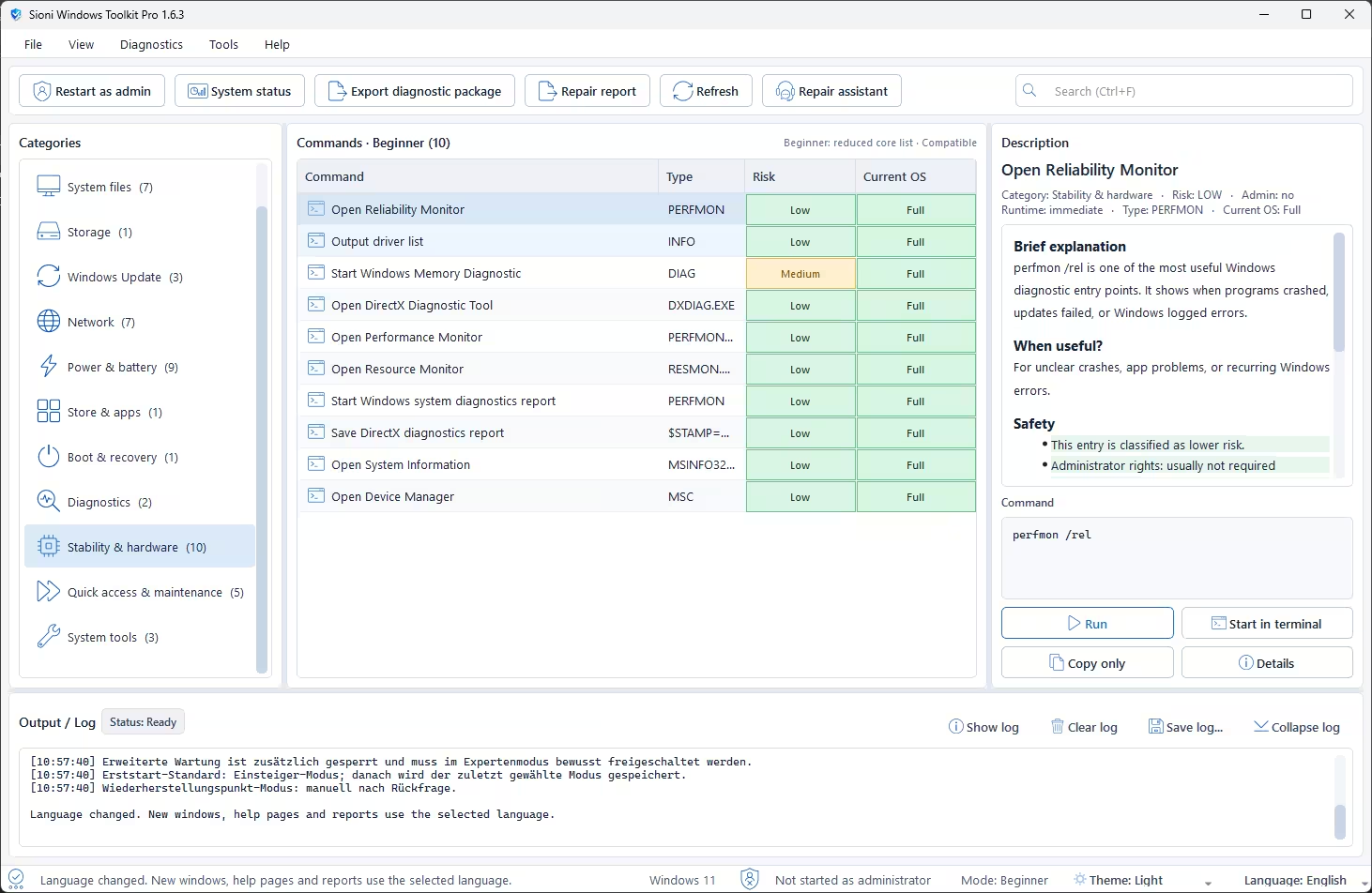
Here’s a snapshot of what’s available across the major categories. This is just a taste — the full list is extensive.
🤖 The Repair Assistant — Your Step-by-Step Fix Guide
This is arguably the coolest feature for everyday users. Click “Repair Assistant” in the toolbar and a guided panel opens up. Choose from several pre-built problem profiles:
- 📋 Initial Diagnosis / Quick Test
- 💥 Windows is Unstable
- 🔄 Windows Update is Not Working
- 🌐 Network / Internet Problem
- 🛍️ Store / Apps Broken
- 💾 Check Disk
- 🔁 Boot / Recovery
Once you pick a profile, the assistant lays out a smart, ordered sequence of commands — ranked by risk, lowest first. It tracks what you’ve run, shows the result of each step, and dynamically updates its recommendations. It even remembers which steps succeeded or failed across the session. Genuinely impressive for a free indie tool.
🌍 Now Available in 6 Languages (Version 1.6+)
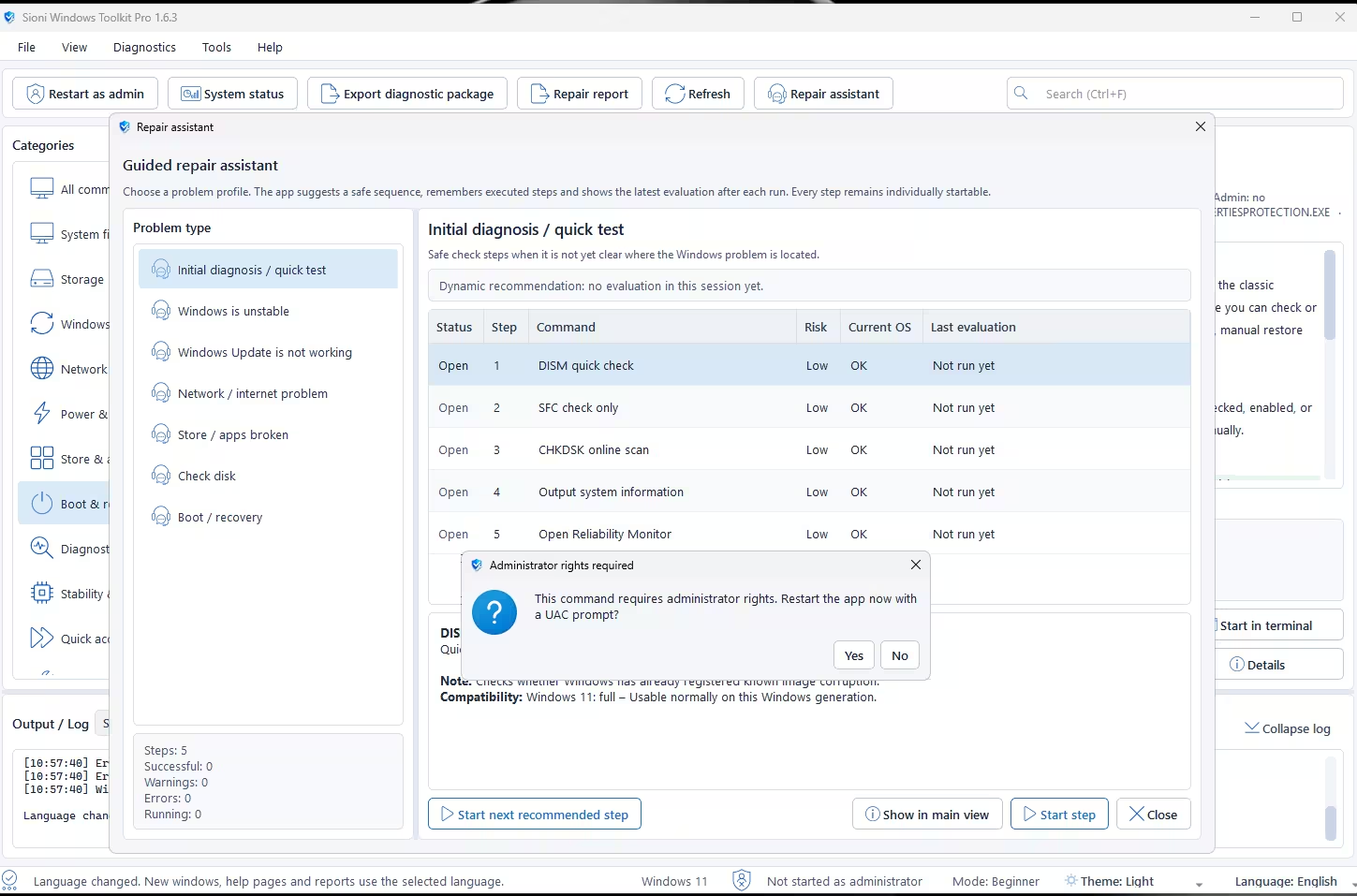
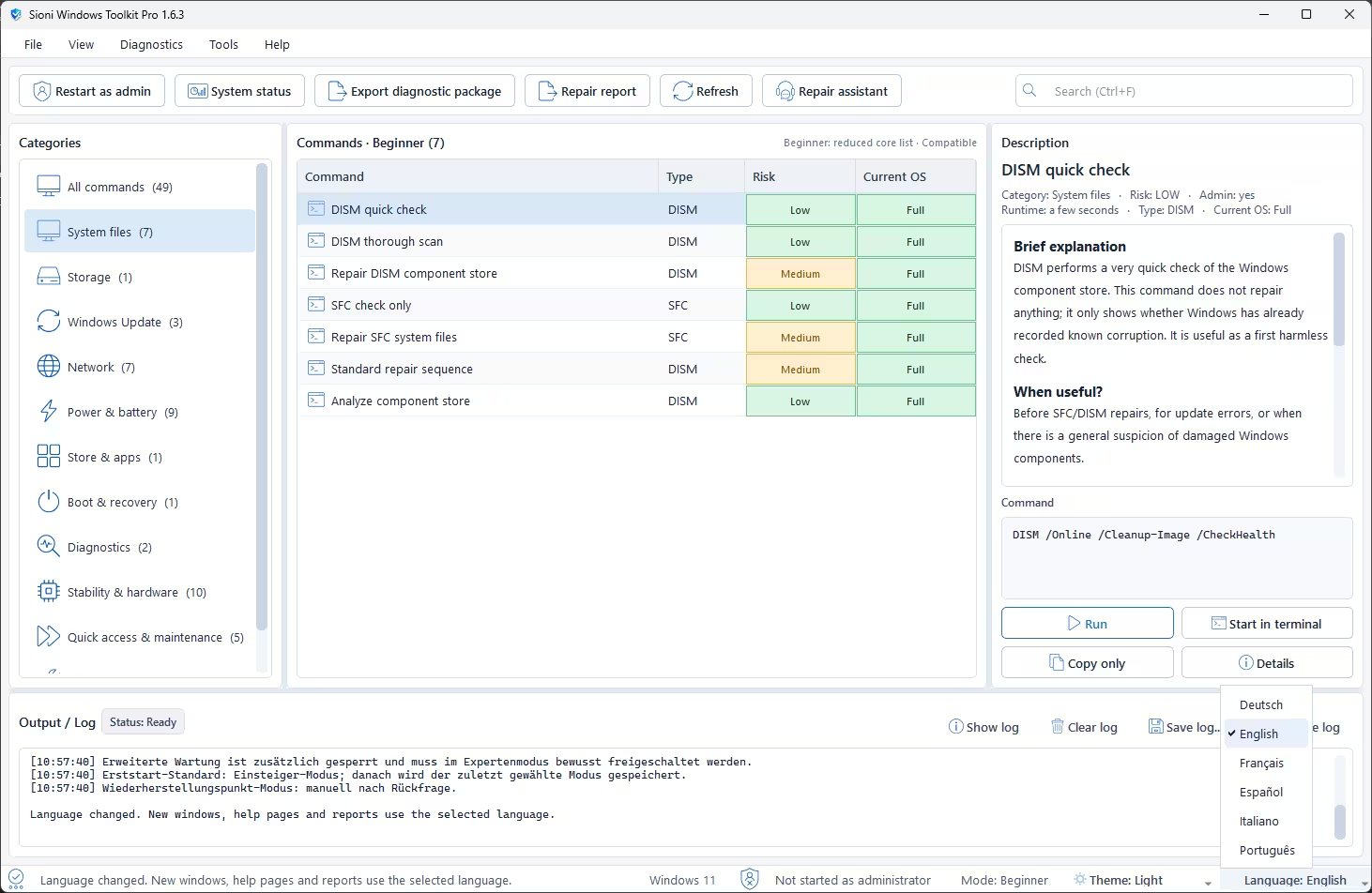
Starting with version 1.6, Sioni Windows Toolkit Pro is no longer German-only. You can now switch the entire interface — menus, descriptions, help text, and reports — to your preferred language in seconds via Help → Language.
🇩🇪 Deutsch
🇬🇧 English
🇫🇷 Français
🇪🇸 Español
🇮🇹 Italiano
🇧🇷 Português
🛡️ Is It Safe? The Windows Defender False Positive Issue
Let’s address the elephant in the room — some users have reported that Windows Defender flags the .exe with a “Trojan:Script/Wacatac.B!ml” warning. Here’s what you need to know:
⚠️
📋 Pros & Cons
✅ PROS
- Completely free with no ads or bloatware
- Beginner + Expert dual-mode is brilliantly designed
- Every command has a clear description and use-case guide
- Risk labels (Low/Medium) help users make informed decisions
- Guided Repair Assistant is genuinely smart and useful
- 6-language support — great for international users
- Portable — no installation required
- Export diagnostic package and repair reports
- Active development with rapid version updates
❌ CONS
- Windows Defender false positive may alarm casual users
- Not digitally signed (yet) — SmartScreen requires manual bypass
- Some commands still require UAC/admin restart to function
- No portable installer — plain EXE with no update mechanism
- Still in active development — some features may change
📥 How to Download & Get Started
- Download the ZIP from the link below (hosted on Google Drive).
- Extract the ZIP to any folder on your PC.
- Double-click the “Sioni Windows Toolkit Pro.exe” file
- If Windows Defender SmartScreen warns you—click “More info” → “Run anyway.” This is expected for unsigned PyInstaller apps.
- Right-click → Run as administrator for full functionality (some repair commands require it).
- At first the app interface will be in German, you can select your language from the language menu in the bottom right corner
- Select a category or use the Repair Assistant to get guided through a fix.
❓ Frequently Asked Questions
Discover more from Techno360
Subscribe to get the latest posts sent to your email.


